ShadowCatcher
AlchemistsHouse by Evgeniya Yaremko
Shadows are one of the most expensive things a renderer does. Real-time shadow maps cost GPU time and render target memory every frame. Baked lightmaps need clean UVs, texel density tuning and long build times. For stylized projects, or any project where you want to iterate fast, both can be overkill.
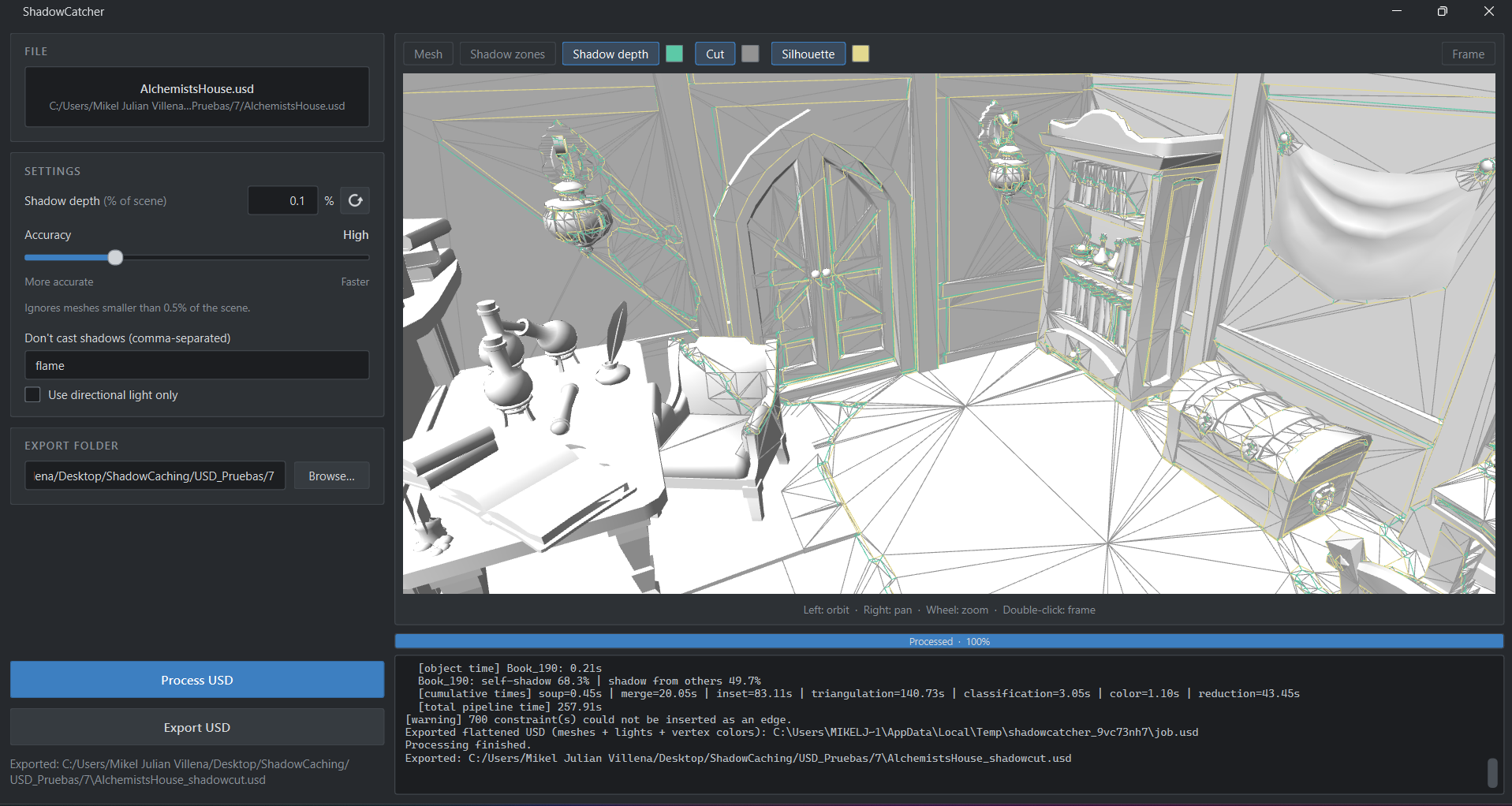
ShadowCatcher takes a different route: it turns shadows into geometry. It computes the shadow outline, cuts the meshes along it, and stores the result in the R channel of the vertex color. In the engine, a shadow is one multiply in the material.
Project Goals
- Lightmap-Free — No UV unwrapping, no texel density tuning and no long build times.
- Zero Runtime Shadow Cost — Removing shadow maps and lighting passes from the frame entirely.
- Engine Agnostic Input — Any program that exports USD (Unreal, Blender, Unity and others) can feed the tool.
How It Works
ShadowCatcher takes a USD file and returns a new USD with the shadows already baked into the topology. For every light, the tool runs the following pipeline:
Silhouette Detection
Finds the silhouette edges of the shadow-casting meshes.
Projection
Projects them onto every receiving surface, including across mesh folds and onto other objects.
Retriangulation
Inserts the shadow contour as real edges and retriangulates only the affected faces.
Shadow Depth Line
Adds an inner line at a configurable distance from the contour, called the shadow depth line.
Vertex Color Paint
Paints the result into the vertex color R channel.
The band between the contour and the inner line becomes a gradient, because vertex colors interpolate across triangles. The shadow edge is as soft or as hard as you decide, with no texture involved.
Details That Matter
Exact Projection
Each silhouette edge sweeps a sheet of light that is intersected with the receiver triangles. The shadow line stays continuous across creases and between objects, and it starts exactly where the caster touches the surface.
Your UVs Stay Intact
New vertices get UVs, normals and other primvars by barycentric interpolation. Original vertices are never modified, so your textures map exactly as before.
Multiple Lights
Each light gets its own mask, and the combined R channel can require shadow from all lights or from any of them.
In the Engine
The material needs one extra node: base color multiplied by a flat shadow color, driven by vertex color R.
.png)
This opens two setups:
- Unlit scenes get shadows they could not have before.
- Lit scenes can disable cast shadows and keep a single directional light, with the shadows coming from the baked geometry.
Performance
Captured with Unreal's CSV profiler (1000 frames each) in the same scene with three setups:
- A: static lighting + ShadowCatcher
- B: ShadowCatcher + unlit
- C: dynamic shadows, no tool (baseline)
| Metric | A | B | C (baseline) |
|---|---|---|---|
| Frame time, mean (ms) | 10.41 (~96 fps) | 10.11 (~99 fps) | 11.56 (~86 fps) |
| Frame time, p95 (ms) | 12.48 | 11.88 | 14.00 |
| GPU time (ms) | 8.76 | 2.25 | 10.16 |
| RDG passes | 426 | 143 | 381 |
| GPU memory (MB, median) | 2153 | 1270 | 2166 |
| Render target pool (MB) | 1406 | 652 | 1400 |
What The Numbers Say
GPU Time
Drops 78% in B (10.16 → 2.25 ms) and 14% in A.
GPU Memory
Drops 41% in B (2166 → 1270 MB) and the render target pool drops 53%.
RDG Passes
Drop 62% in B (381 → 143), because the shadow and lighting passes are gone.
Frame Time
Improves 10% in A and 12.5% in B, and p95 improves 11% and 15%.
Limitations
- Static shadows. They are baked for the lights in the USD. Moving lights or casters require reprocessing.
- Processing time. It grows with scene complexity, and the first run is slower because of numba compilation.